Connection
In the connection section of the settings you can:
- change the request delay to the leak detector
- disconnect from the leak detector.
Request delay
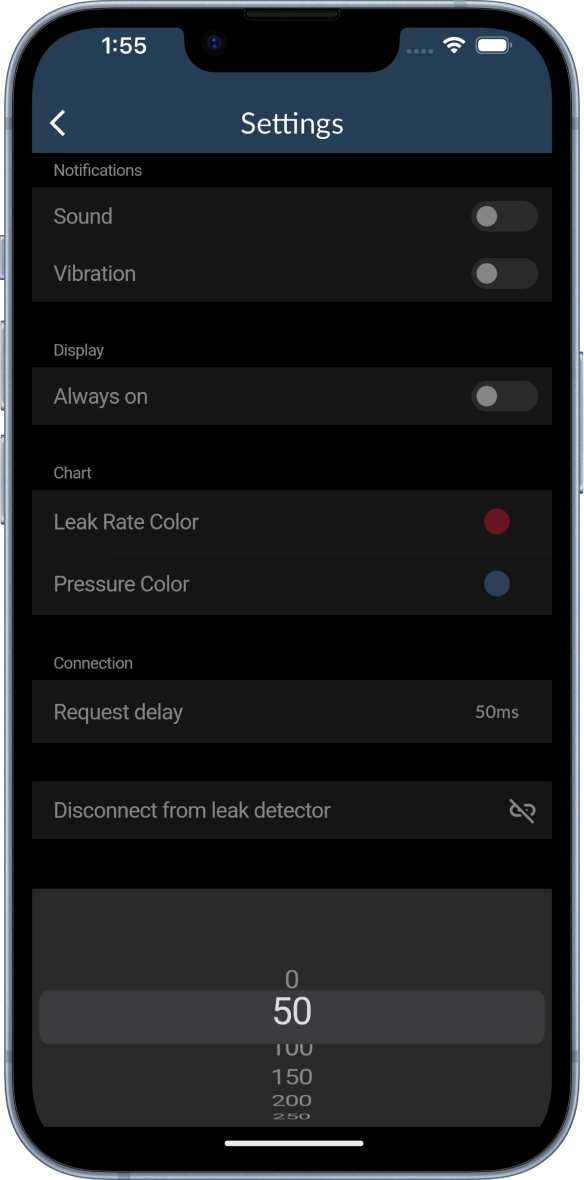
The request delay is the time between receiving the data from the leak detector and requesting new data. The default value is 50 ms. A smaller value will result in a higher update rate of the leak rate and the corresponding chart. Therefore, the leak detection will be more precise. However, the update rate is limited by the leak detector and shorter request delays might cause problems in the stability of the connection.
To change the request delay:
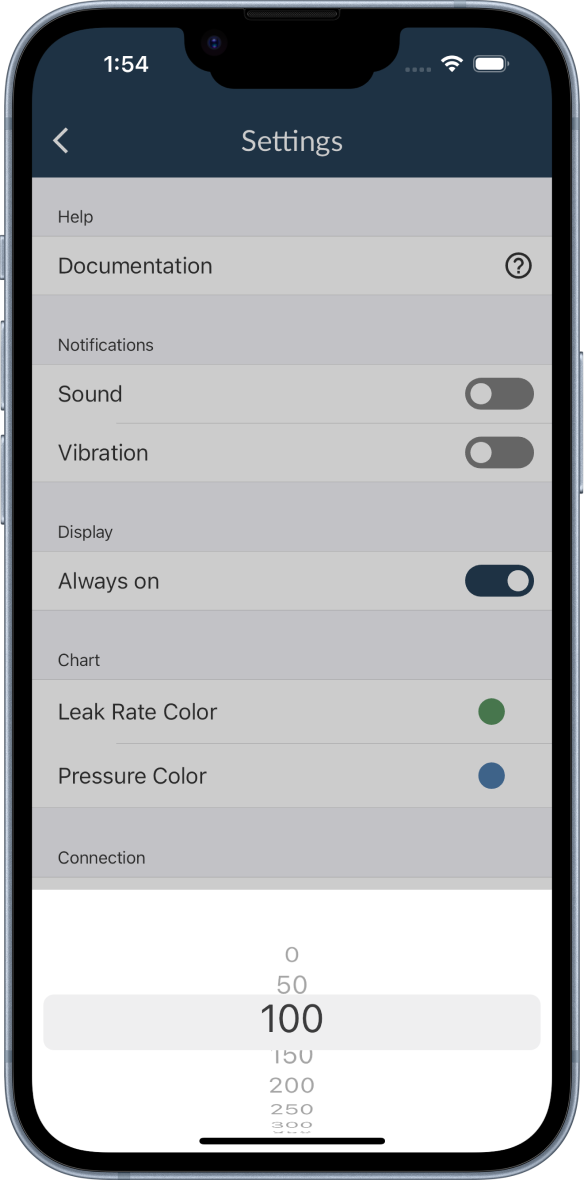
- Click on the number at the right of the request delay and a number picker will open.
- Scroll to the desired value and click in the space above the number picker to select the value.
- Disconnect and reconnect to the leak detector to apply the new request delay.
Disconnect
To disconnect from the leak detector:
- Click on the
Disconnect from leak detectorbutton at the bottom of the connection section. - You will be disconnected from the leak detector and redirected to the search view.