Search
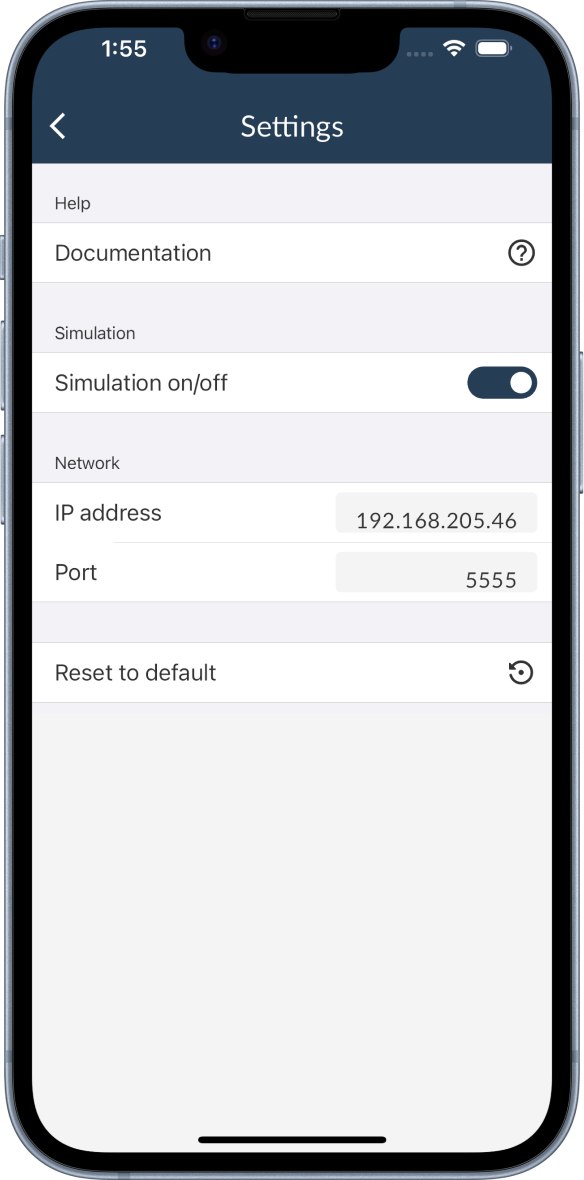
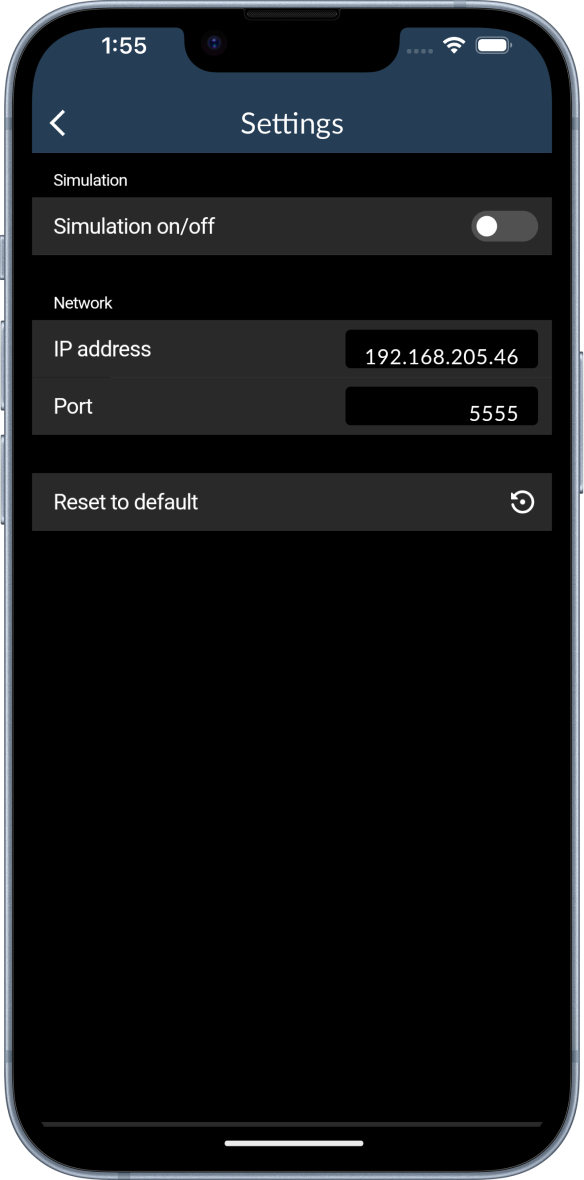
The search view has its own settings. You can open the settings by clicking on the gear icon in the top right corner of the search view. There you can change the following settings:
- activate/deactivate the simulation device
- change the Wi-Fi connection settings
Simulator
To activate/deactivate the simulator, click on the switch at the right of the simulator. If the simulator is activated, a simulation device will appear in the search result list. You can connect to the simulation device like to a real leak detector. The simulation device is described in the Simulation section.
Wi-Fi connection
In the network section of the search settings you can change the IP address and the port of the Pfeiffer Vacuum ECB Wi-Fi connection. To do so, click on the number at the right and a text field will open. Enter the desired value and confirm it. The new settings will be applied to the next search.
You can reset the network settings to the default values by clicking on the Reset to default button at the bottom of the network section.
You need to change the ip address according to your Pfeiffer ECB Wi-Fi to find your leak detector.